‪(858) 255-1271‬

AI Tools for Business: Microsoft Copilot

Your team. Supercharged by AI.
Microsoft Copilot is built into the tools your team already uses every day. Coast Techs helps businesses get it set up, secured, and working from day one. No disruption, no steep learning curve, no guesswork.

What Is Microsoft Copilot?

Think of it as a brilliant assistant who already knows your business.

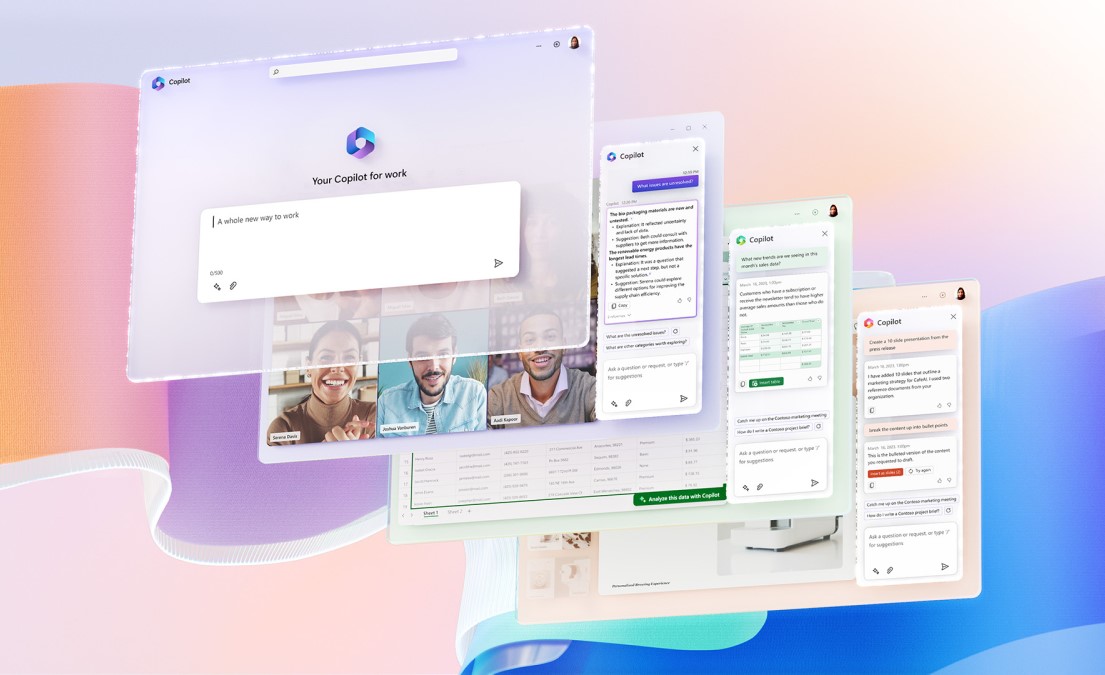
Microsoft Copilot is an AI assistant embedded directly inside Microsoft 365 - Word, Excel, Outlook, Teams, PowerPoint, and SharePoint. It reads your existing documents, emails, and meeting notes to give you answers and complete tasks that are specific to your company.

Unlike a standalone AI tool, Copilot does not ask you to paste in context or switch between apps. It works where you already are. Ask it to summarize last week's client emails, draft a proposal based on your last meeting, or build a chart from your spreadsheet data - and it does it instantly.

For small and mid-sized businesses, this translates to real hours saved every week, across every person on your team.

Where It Works

Inside the apps your team uses all day.

Copilot integrates natively with every major Microsoft 365 application. There is nothing new to install or learn. It shows up right inside the tools your team already has open.

Key Benefits

  • Minimal Downtime: We perform migrations during off-peak hours and with proven processes that keep your users up and running.
  • End-to-End Service: From pre-migration audits to post-migration support and training, we’ve got you covered.
  • No Data Left Behind: We migrate everything - even the stuff you forgot you had.
  • Security First: Your data is encrypted in transit and handled in compliance with best practices and industry standards.
  • Tailored Approach: Every migration plan is customized to your infrastructure, goals, and timeframe.
Word
Excel
Outlook
MicrosoftTeams
PowerPoint
SharePoint
Draft reports, rewrite for clarity and tone, summarize long documents, and generate outlines from a simple prompt.
Analyze datasets, build formulas using plain language, create charts automatically, and surface trends in your data.
Write polished emails, summarize long conversation threads, triage your inbox, and schedule meetings with a single command.
Get real-time meeting summaries, catch up on conversations you missed, create action items automatically, and recap decisions made on any call.
Generate complete slide decks from a brief description, refine layouts, and convert documents or meeting notes into presentations.
Search and retrieve company files using natural language, summarize document libraries, and surface the right content faster than any manual search.

Security and Privacy

Your data stays yours. Period.

One of the most common questions we hear from clients is whether it is safe to use AI with company data. With Microsoft Copilot, the answer is yes, and here is exactly why.

Security Points:

Your existing permissions apply Copilot only surfaces information a user already has access to. It follows your Microsoft 365 security rules exactly and does not bypass anything.

Your data is never used to train AI Microsoft does not use your company's emails, files, or Teams chats to train its AI models. Your information stays inside your Microsoft 365 tenant.

Enterprise compliance built in Data Loss Prevention, Conditional Access, sensitivity labels, and retention policies all carry over. Copilot inherits your compliance framework automatically.

No data leaves your environment Copilot works entirely within your Microsoft 365 tenant. It does not copy, move, or store your content outside the environment you already control.

Real-World Impact

Here is what a typical workday looks like once your team has Copilot up and running.

Timeline:

8:30 AM - Morning / Inbox under control in 5 minutes Copilot in Outlook surfaces the emails that actually need a response, summarizes a lengthy thread from yesterday, and drafts a professional reply ready for you to review and send.

10:00 AM - Meeting / Automatic notes and action items Copilot in Teams transcribes the call in real time, captures decisions, and delivers a structured summary with assigned action items the moment the meeting ends. No one has to take notes.

1:00 PM - Proposal Time / First draft written in minutes Open Word, describe the proposal in a sentence, and Copilot generates a structured first draft using context from your past files and meeting notes. You edit rather than start from scratch.

3:30 PM - Reporting / Data analysis without the formula headache Ask Copilot in Excel to show you which clients have grown the most this quarter, in plain English. It analyzes the data, builds the chart, and explains what it found.

Ready to put AI to work for your business?

Schedule a free consultation with our team. We will review your current Microsoft 365 setup and show you exactly what Copilot can do for your organization.

Contact Us

We are Coast Techs

At Coast Techs, building strong and lasting partnerships with our clients is at the core of what we do. We believe in open communication, understanding your challenges, and working collaboratively to achieve your business objectives. Our client-centric approach ensures that you receive the attention and support you deserve throughout our partnership.

Contact Us
support@coasttechs.com

‪(858) 255-1271‬

menuchevron-down